When stolen device protection is enabled on an iPhone, knowing only the iPhone’s passcode won’t be enough to view or change the sensitive information stored on the device; a user would have to go through additional security measures, such as biometric authentication.
Stolen Device Protection on iPhone
With the feature turned on, these are the actions that will require a biometric check:
- Accessing the passwords or passkeys saved in Keychain
- Access the autofill Payment methods used in Safari.
- Viewing the Apple Card virtual card number or applying for a new Apple Card.
- Take certain Apple Cash and Savings actions in Wallet.
- Disabling the Lost Mode on iPhone.
- Erasing the saved content & settings.
Security Delay
When enabled, the feature also introduces a Security Delay for specific actions. A user will have to wait an hour before making these changes.
- Signing out of Apple ID
- Changing Apple ID Password.
- Update the security settings of your Apple ID.
- Adding/Removing Face ID or Touch ID.
- Changing the iPhone Passcode.
- Resetting the Phone Settings.
- Turning off the Find My and Stolen Device Protection.
How to Enable Stolen Device Protection on iPhone?
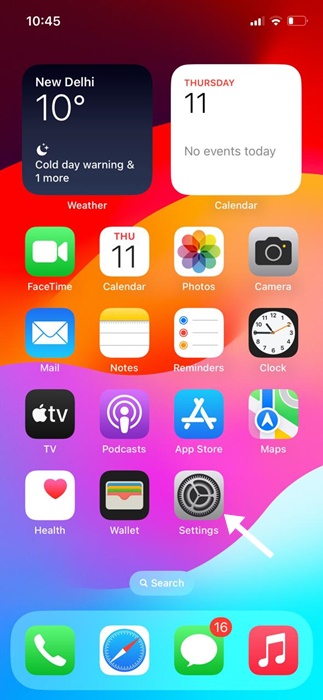
1. Open your iPhone Settings.
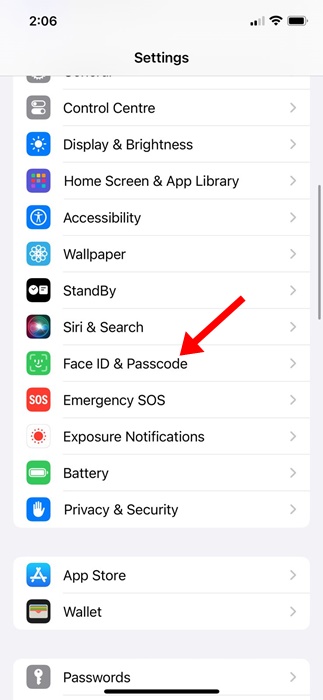
2. Select Face ID & Passcode.
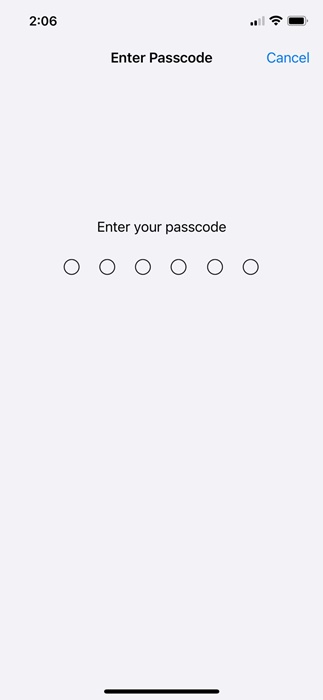
3. You will be asked to enter your iPhone passcode. Simply enter it.
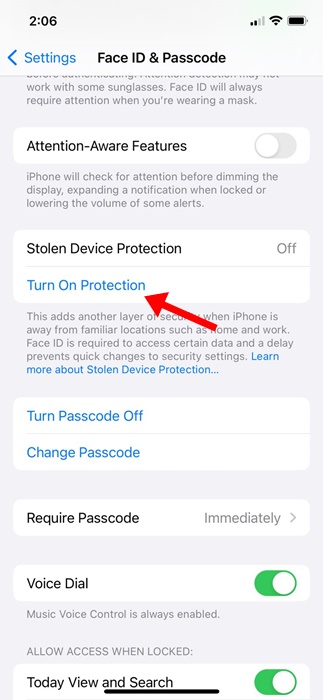
4. Scroll down to the Stolen Device Protection section.
5. Tap on the Turn on Protection below it. You will be prompted to authenticate using your Face ID or Touch ID to activate the feature.
You can disable the feature by going through the same settings, but if you’re not in a familiar location, you will be prompted to start a one-hour security delay to deactivate the feature.