
Whenever you use Facebook on your iPhone, the app cache stores the most-used information as cache data. When you revisit that information, the app shows you the stored cache data. This reduces load time and data usage.
As you use the Facebook app over time, the app cache data fills up quickly and can create problems. Worse, if this cache data becomes outdated or corrupted, you will face problems using the Facebook app.
How to Clear Facebook Cache on iPhone?
To deal with corrupted or outdated app cache issues, you will first have to remove the saved data.
1. Launch the Facebook app.
2. Tap the Menu icon.
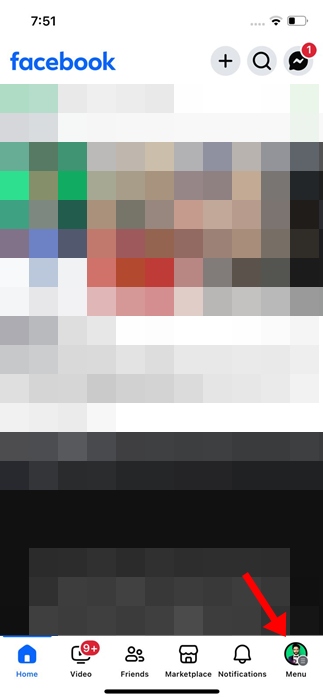
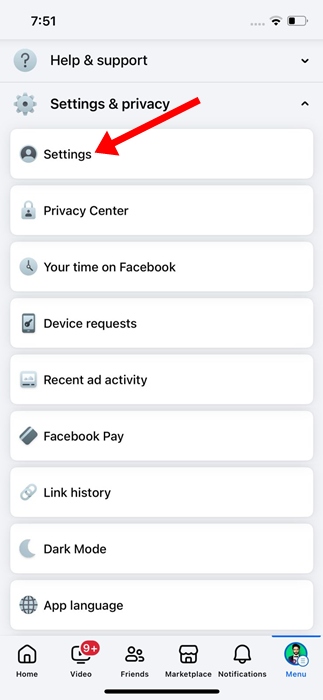
3. Scroll down and tap Settings & Privacy.

4. On Settings & Privacy, tap Settings.
5. On the next screen, tap Browser.

6. On the Browser Settings, tap the Clear button beside Cookies and Cache.

Clear Facebook Cache on iPhone by Deleting the App
Another easy way to clear the Facebook cache is to delete and reinstall the app.
1. Open the Settings app.
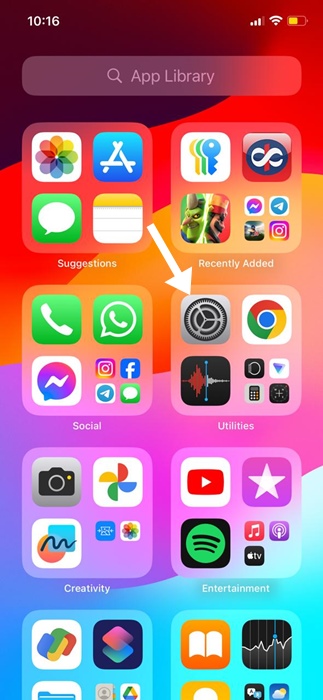
2. Tap on General.

3. Tap iPhone Storage.
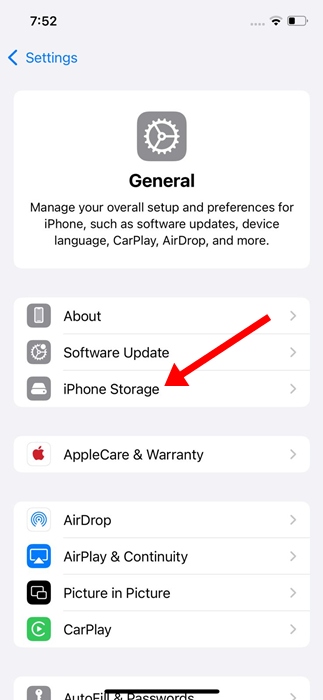
4. Find and tap Facebook.

5. Tap Delete App.
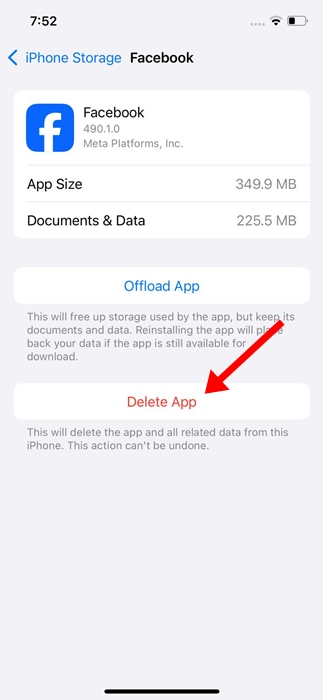
6. Tap Delete App again.
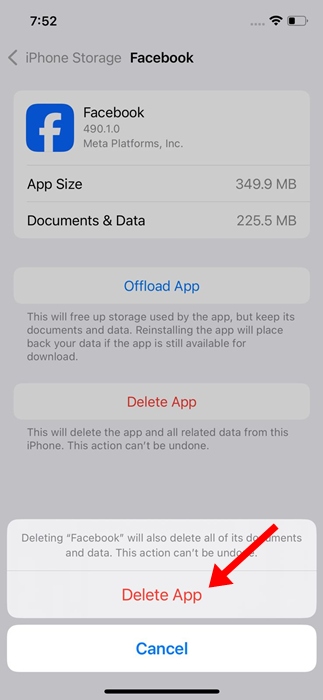
7. Open the Apple App Store and type Facebook. Open the official app listing screen and install the app again. This will reinstall the Facebook app.
These are the two best ways to clear the Facebook app cache. If you need more help clearing the Facebook app cache on iPhone, let us know in the comments.