
Upon turning on Windows 11 and using it for a while, users have been getting an unusual error from the Windows Security app that reads ‘Update virus protection’. The full message reads, ‘Virus protection is out of date. Tap or click to update Microsoft Defender Antivirus’.
Generally, installing the pending Windows 11 updates fixes the error, but sometimes Windows Update can fail to fix this error message. Windows Update may show you an error ‘Protection definition update failed’ with the error code 800106ba.
If you’ve experiencing the same problem, here’s what you should do fix it.
1. Disable the third-party anti-malware
If you’re using any other security application alongside the Windows Security app, you will get this type of problem. The problem happens when Windows Defender stops itself after receiving a signal from another security suite installed on your system.
So, before you try the next methods, make sure your PC doesn’t have any additional security app.
2. Make sure Windows Defender Services are running
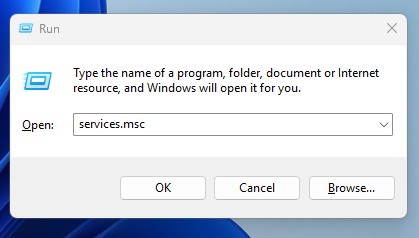
You need to open the Services app and make sure that the important Windows Defender Services are running. Here’s what you need to do.
- Open the Services app.
2. Make sure that the following services show this status:
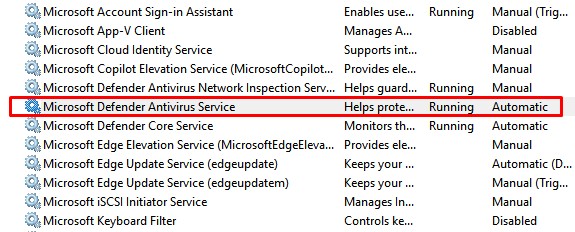
- Windows Defender Firewall: Automatic | Started
- Windows Defender Advanced Threat Protection: Manual
- Microsoft Defender Antivirus Network Inspection Service: Manual
- Microsoft Defender Antivirus Service: Manual | Running
3. Re-Register Windows Defender DLL Files
The very next thing you should do is to re-register the Windows Defender DLL files from the command prompt.
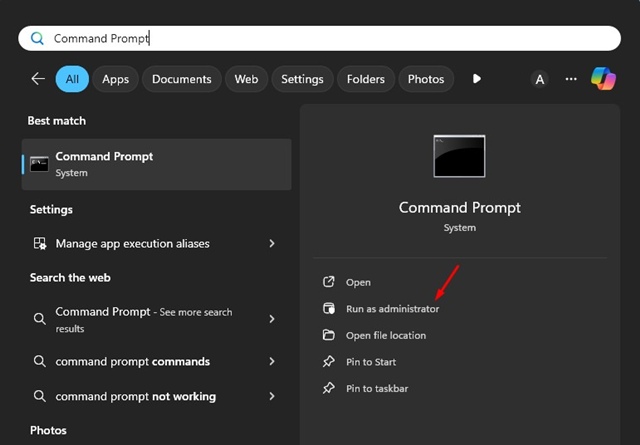
1. Open Command Prompt with admin rights.
2. Now, you need to re-register each DLL file. You should execute each command one by one:
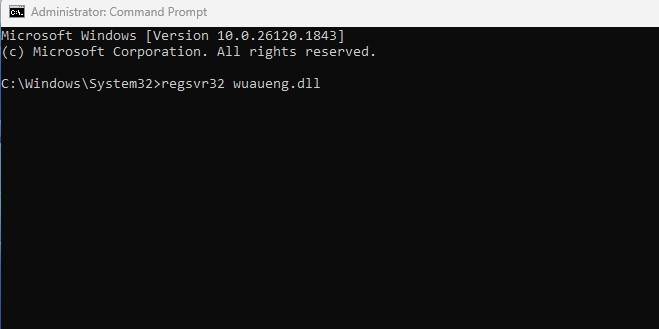
- regsvr32 wuaueng.dll
- regsvr32 wucltui.dll
- regsvr32 softpub.dll
- regsvr32 wintrust.dll
- regsvr32 initpki.dll
- regsvr32 wups.dll
- regsvr32 wuweb.dll
- regsvr32 atl.dll
- regsvr32 mssip32.dll
- regsvr32 wuapi.dll
Once done, restart your PC and see if it fixes the problem.
4. Verify the Registry Editor setting
It’s possible that malware sits on your computer and added a registry value that’s preventing the security database from updating. So, you should verify your Registry Editor Settings as well.
- Open the Registry Editor on Windows 11 and navigate to this path:
HKey_Local_Machine\Software\Policies\Microsoft\Windows Defender
- On the right side, find any key named DisableAntiSpyware. If you find it, delete it or set its value to 0.
These are the best ways to fix ‘Update virus protection’ error message on Windows 11. If you need more help on this topic, let us know in the comments. And if you find this guide helpful, share it with your friends.