You may get the ‘Virus Detected’ warning message while downloading or installing. Although the web browser may successfully download the qBittorrent installer, your antivirus program might flag it as a virus and prevent installation. Many users on the Reddit forum have asked about this problem. For example, one Reddit user posted this:
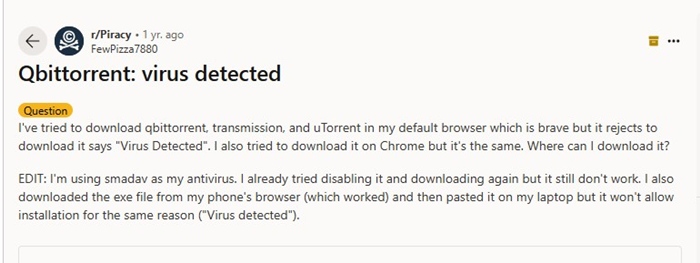
The user clearly states that all web browsers reject the qBittorrent download with the message ‘Virus Detected’. On Chrome, you may get a different error that reads ‘Unverified downloads’. Another Reddit user questioned, ‘Qbittorrent disappeared, and I cannot download it again due to a “Virus Detected’ error.
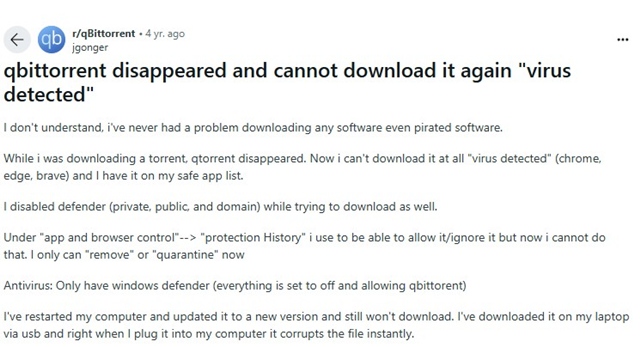
So, what exactly is this mess? Whether qBittorrent is malicious or ‘Virus Detected’ is just a false positive warning?
Is qBittorrent a Virus?
The qBittorrent client isn’t a virus, but your Antivirus program may block it from downloading or installing for some definite reason.
We will discuss the reason in the next section, but if you want a straightforward answer, qBittorrent is 100% safe to download & use without worrying about security or privacy issues.
Why is Antivirus Detecting qBittorrent as a Virus?
qBittorrent or any similar torrent client is a Peer-to-Peer (P2P) application. The goal of P2P apps is to connect to different servers to fetch and download files.
The problem is that qBittorrent may connect to a torrent website’s server address that may host malicious content; hence, modern Antivirus programs block the installation completely.
The servers/IP addresses are often shared by multiple websites, which means the files you’re downloading through qBittorrent may be perfectly safe, but some other sites hosted on the same server may have malicious content.
So, when qBittorrent tries to connect to those websites, your Antivirus flags the app as malicious because it tries to connect to a server that hosts malicious content. This is the major reason modern Antivirus programs and even web browsers block qBittorrent from downloading and flag it as a threat.
How to Get Rid of qBittorrent: Virus Detected Warning?
If you’re unable to download the qBittorrent client itself, you may have to temporarily disable the Antivirus and the Firewall.
- Launch the Microsoft Security app.
- Switch to the Protection History.
- On the Protection History, select ‘This app has been blocked’.
- Click the down arrow and select the Actions drop-down.
- On the Actions drop-down menu, select Allow.
This will allow qBittorrent to run on your system. You can now reinstall the torrent client.
What if the web browser blocks the qBittorrent download?
If you use Google Chrome, you can start downloading the file despite it blocking it. Otherwise, you need to disable the Chrome browser’s safe browsing mode to allow downloading qBittorrent.
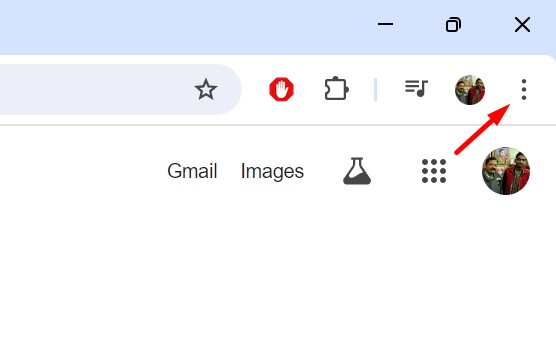
1. Click the three dots at the top right corner.
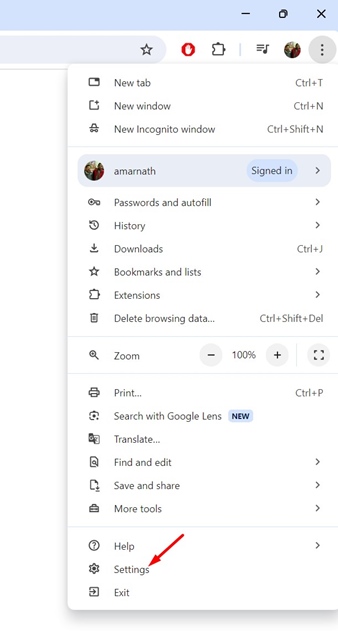
2. Select Settings.
3. Switch to Privacy and security.
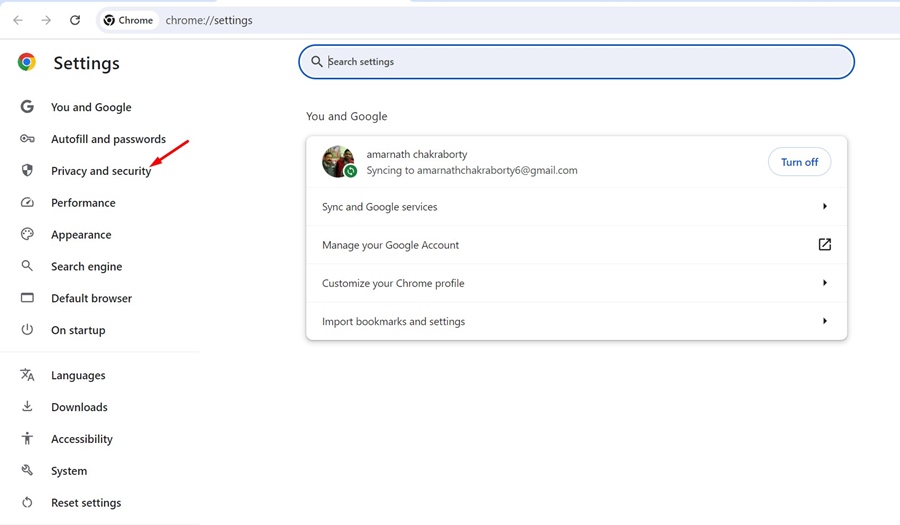
4. Scroll down and click Security.
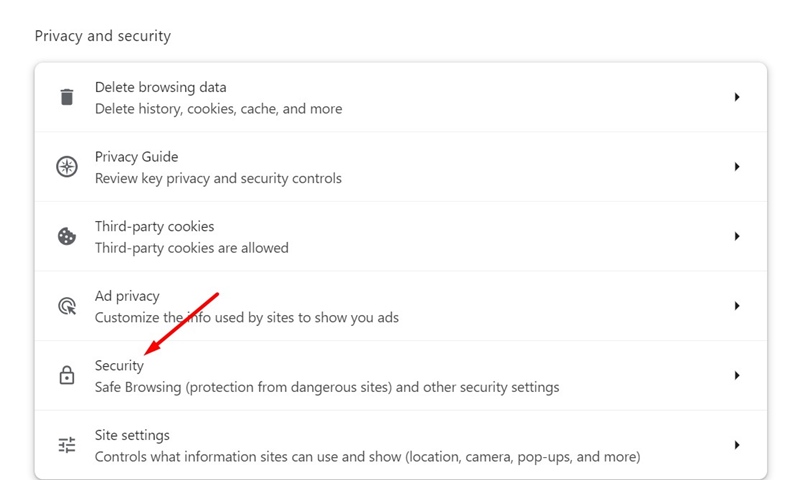
5. Select No Protection.
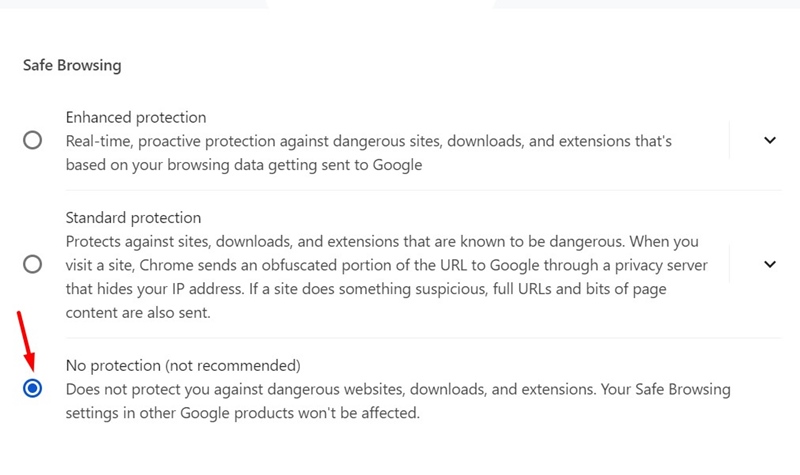
You can now download the qBittorrent client without any problems. However, once the download completes, make sure to turn on Standard Protection in Chrome.
This guide explains whether qBittorrent is a virus or if your antivirus software shows a false positive warning. If you need more help with this topic, let us know in the comments.