
The popular instant messaging app, WhatsApp, is preparing to introduce an exciting new privacy feature. The new feature will allow users to hide their phone numbers and instead use a unique username.
The move is expected to provide users with greater privacy by reducing the need to share a personal phone number. The feature will greatly reduce phone number misuse and unwanted contacts.
WhatsApp Username is finally here
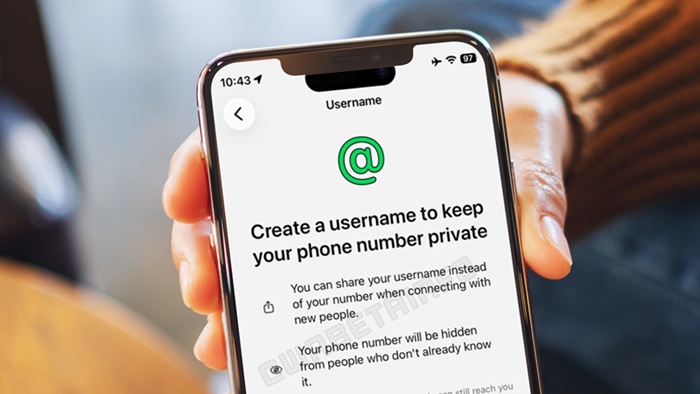
The feature has just been announced, and it’s currently in the testing phase. It’s available only to selected Android and iPhone users worldwide.
However, once it gets a positive response, it will be available to everyone. The feature is expected to roll out to everyone by the end of 2026.
Things you should know:
- If someone reaches out through your username, they won’t see your real number.
- Your phone number will remain linked, even if you set the username.
- You’re now forced to use a username.
- You can change your username whenever you want.
How to Set the Username and Hide your Phone number
Well, the feature is gradually rolling out to the users. It is currently available to only a few selected users.
So, if you don’t find this feature, you will have to wait for a few more weeks or months. By the end of 2026, it’s expected to roll out to every user worldwide.
- First, update the WhatsApp app on your phone.
- Once updated, go to the Settings (three dots).
- Tap on your profile name at the top of the page.
- This will open the account details.
- Select the username option (If available).
- Next, enter the username you want.
- You can set a username between 3 and 35 characters long.
- WhatsApp will check if it’s available. If it’s available, the username will be allotted.
Once you set your username, you can share it with anyone you want to connect with on WhatsApp.
This guide explains how to set a WhatsApp username. If you need more help on this topic, let us know in the comments. Also, if you find this guide helpful, don’t forget to share it with others.