iPhone offers you an option to recover the voicemail you deleted accidentally or intentionally. Like deleting text messages, when you delete a voicemail, your iPhone stores the deleted VM in the trash folder, allowing you to retrieve it if needed. You can technically get back the deleted voicemails, but there’s an important thing to remember. Certain telecom operators automatically delete voicemail after a specific time.
Another thing is that if you sync your iPhone with a computer via iCloud, you won’t be able to recover the deleted VM(s). This is because syncing your iPhone to a computer clears the cache of deleted messages. So, if you haven’t synced your iPhone with your PC and your carrier hasn’t deleted the VMs, you can retrieve them by following the steps below.
How to Recover Deleted Voicemail on iPhone?
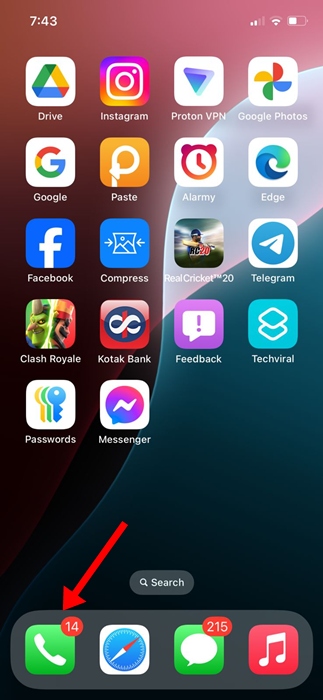
1. Launch the Phone app on your iPhone.
2. When the Phone app opens, switch to Voicemail.
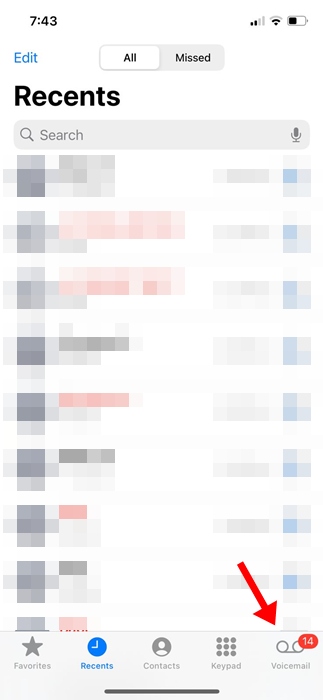
3. On the Voicemail screen, you can see all the voice messages.
4. Scroll down to the bottom of the screen and tap Deleted Messages.
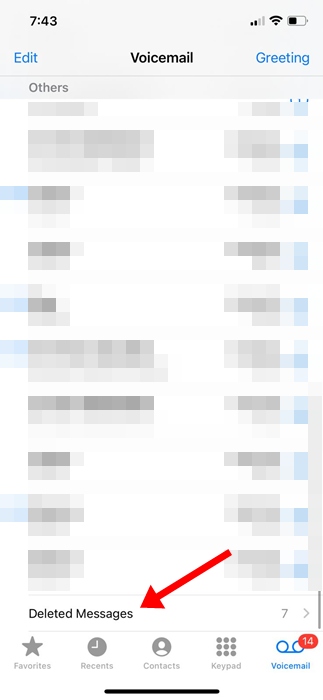
5. You will see all voicemails you’ve deleted from your iPhone.
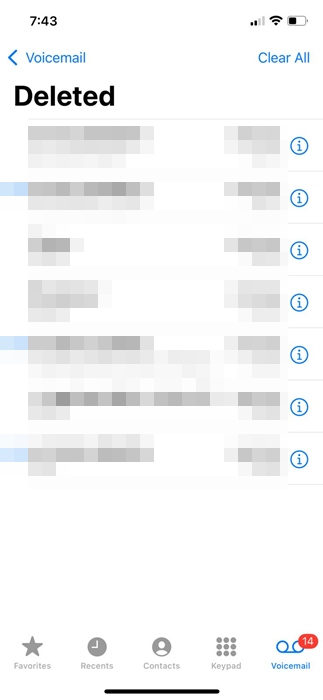
6. To recover the deleted voicemail, tap on it.
7. On the next screen, tap Undelete (red trash can).
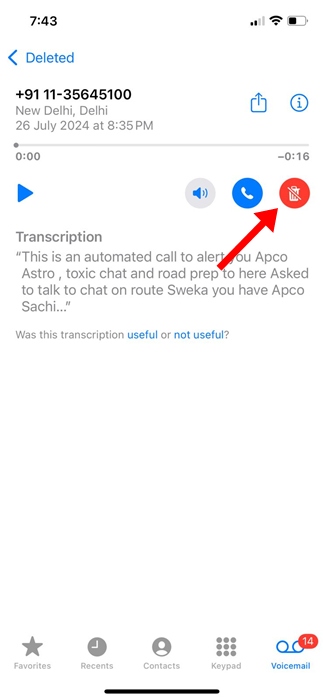
8. The voicemail you’ve selected will reappear in the Voicemail list.
As we said, recovering deleted voicemails on an iPhone is super easy. However, if you can’t find the deleted voicemail on the Deleted Messages screen, you need to contact your carrier.
This article explains how to recover deleted voicemails on an iPhone. If you need more help retrieving deleted voicemails on your iPhone, let us know in the comments.