A few Windows users were facing problems while using the Windows Security app. According to the users, Windows Security keeps finding the same virus at every startup. If you have been facing the same problem, here’s what you should do.
1. Run a full virus scan with Windows Security
Even though Windows Security automatically detects threats, it’s important to manually run a full virus scan.
1. Open the Windows Security app from the Windows Search.
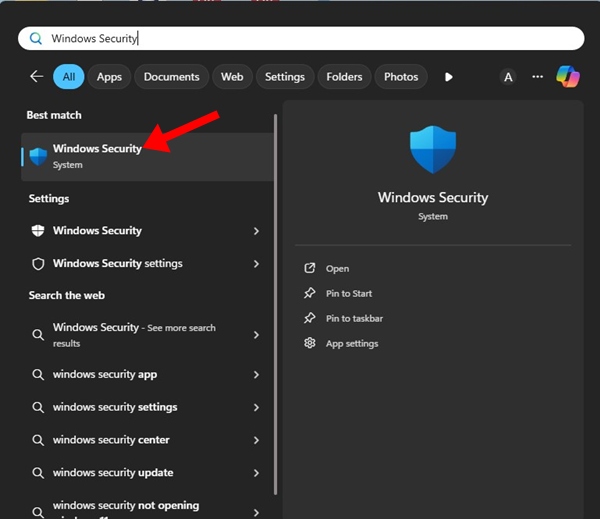
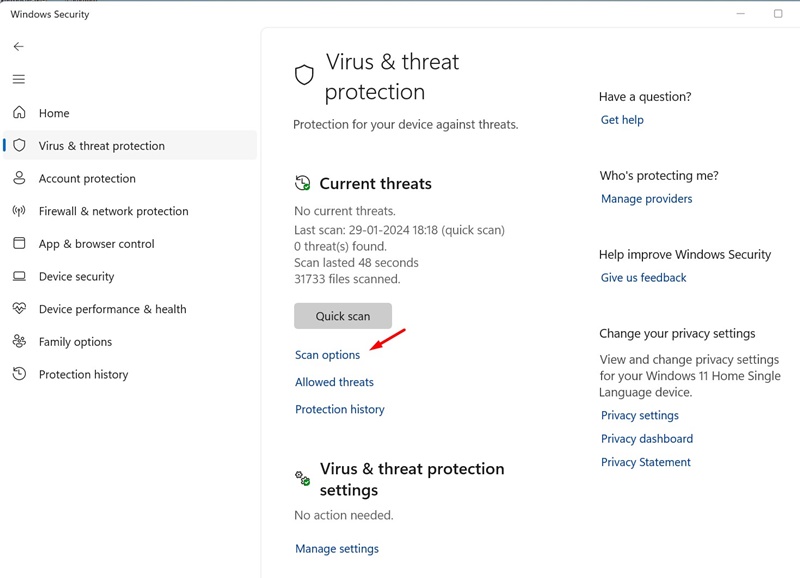
2. Switch to Virus & threat protection.

3. Click Scan options.
4. Select Full Scan on the Scan options and click Scan now.
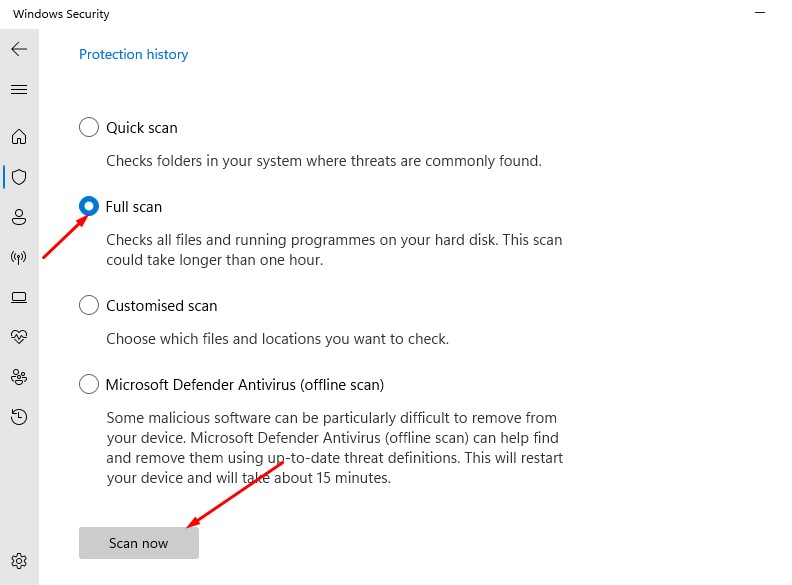
Wait until the full scan completes. Once completed, restart your PC and check whether the threat is still getting detected.
2. Use Windows MSRT
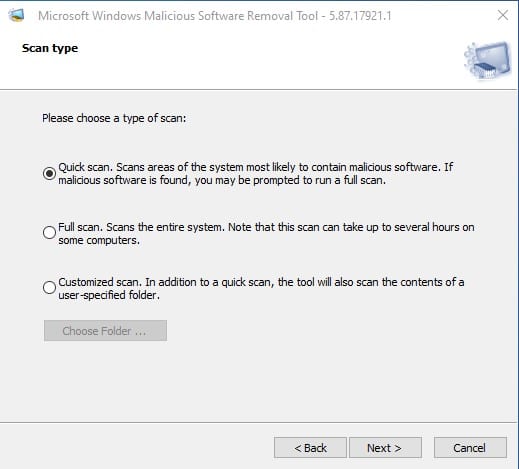
Windows MSRT, or Malicious Software Removal Tool, is a program that helps keep Windows free from prevalent malware.
The MSRT tool aims to find and remove threats and reverse the changes made by these threats. Download & install the latest version of the Windows MSRT tool and run a Full Scan with it.
3. Run a Full Virus Scan with Malwarebytes
It’s possible that Windows Security detects the threat but cannot remove it. In such a case, you should use a premium antivirus like Malwarebytes.
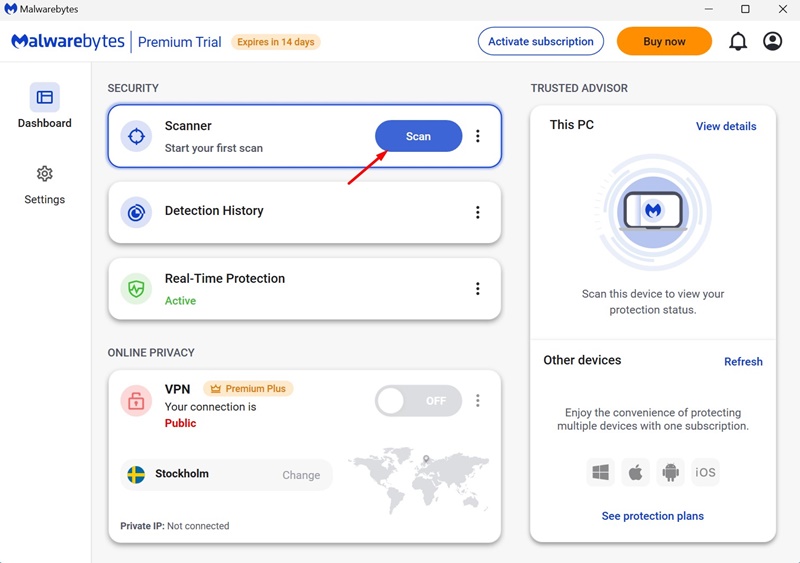
1. Download & install the latest version of Malwarebytes on your PC.
2. Once installed, launch Malwarebytes.
3. Click Scan.
4. Wait until the scan completes.
Once the scan is completed, simply restart your Windows PC.
4. Run AdwCleaner on Windows
While Windows Security is good for security threats, it isn’t very effective against adware and PUPs.
To get rid of Adware and PUPs, you can either use Malwarebytes or AdwCleaner.
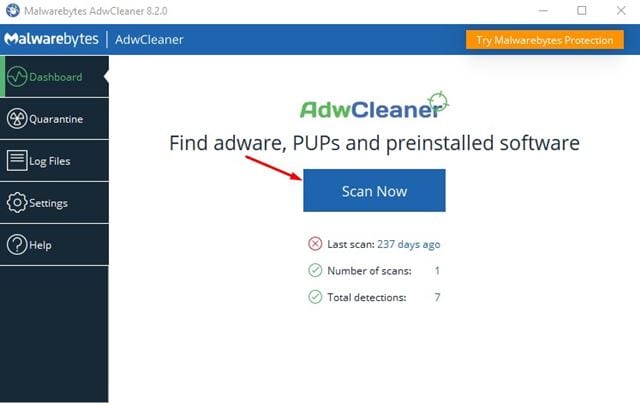
Download & install the latest version of AdwCleaner on your PC and then run a full scan. The security tool will detect and remove all sorts of adware from your PC.
These are the four different ways to fix Windows detecting the same virus every time at startup. If you need more help on this topic, let us know in the comments.