Samsung phone users often complain about the phone overheating, battery draining faster, and slow battery charging. If you’ve been experiencing similar problems with your Samsung phone, you need to check the battery health.
Can you check the battery health of a Samsung Galaxy phone?
Yes, Samsung Galaxy phones have a feature that allows you to check the battery’s health. Not only the battery health, but you will be able to check every hardware feature of your Samsung phone with the right tool.
How to Check the Battery Health on a Samsung Phone?
To check the Samsung phone battery’s health, you need to use the Samsung Members app.
- Open the Galaxy store, search for Samsung Members, and install it.
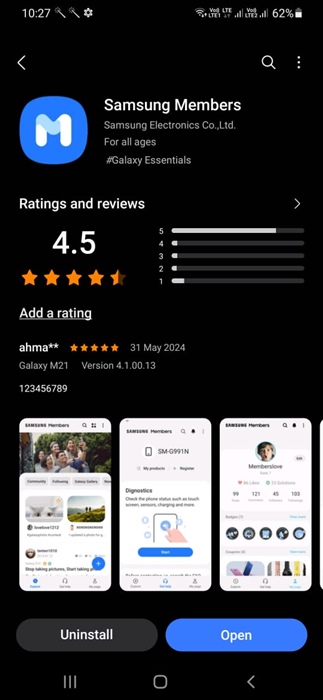
3. Launch the Samsung Members app and log in with your Samsung Account.
4. The app should detect your Samsung Phone.
5. Switch to the Support tab.
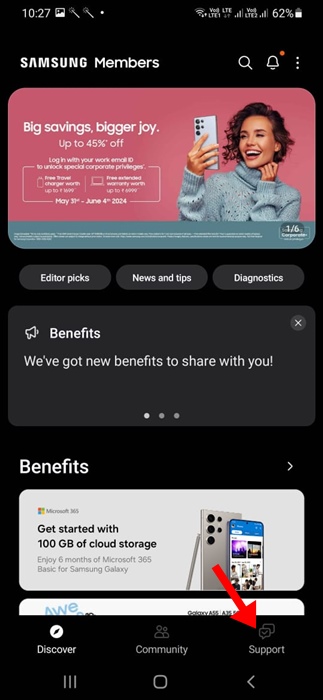
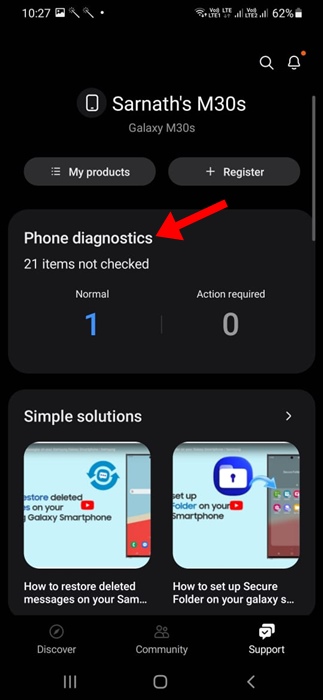
6. On the Support screen, tap on Phone Diagnostic.
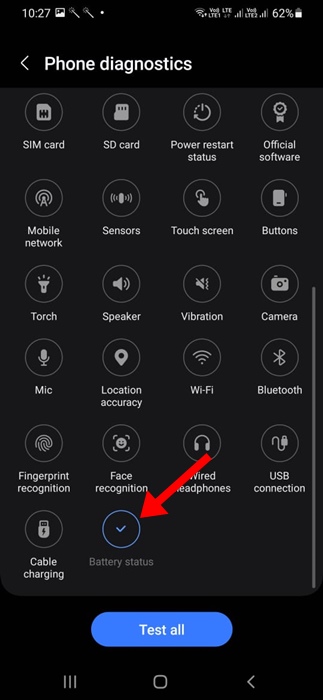
7. You will find several diagnostic icons. Find and tap Battery Status.
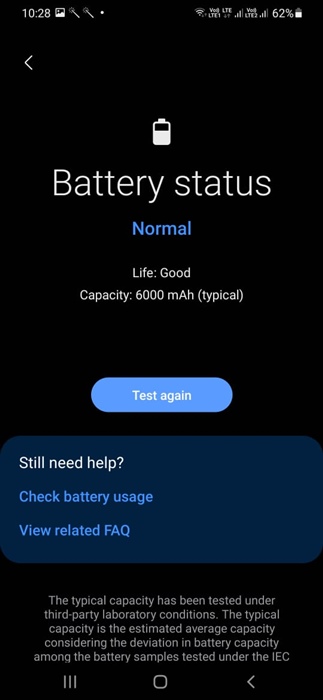
8. You will get to see the Battery Status. The Life reading refers to the health of your battery. It could be either Good, Normal, or Weak.
Other Ways to Check the Battery Health of an Android Phone?
If you don’t have a Samsung phone, you can use apps like Accubattery to check your phone’s battery health.
Accubattery is an Android app that displays information on battery usage and measures capacity (mAh) based on science.
We have shared a detailed guide on using Accubattery to check the battery health of any Android phone. Go through that article to know the steps.
Checking the battery health of a Samsung phone is easy and requires no third-party app. If you need more help, let us know in the comments.