Windows Security is configured to turn itself off whenever it detects a third-party security program like Malwarebytes. While you can’t prevent the Windows Security app from turning itself off, you can configure Malwarebytes to run alongside it without any conflict or getting detected by the Windows Security app.
How to run Malwarebytes and Windows Defender at the same time?
You will just have to make a few changes to the Malwarebytes settings to make the two security tools run together at the same time.
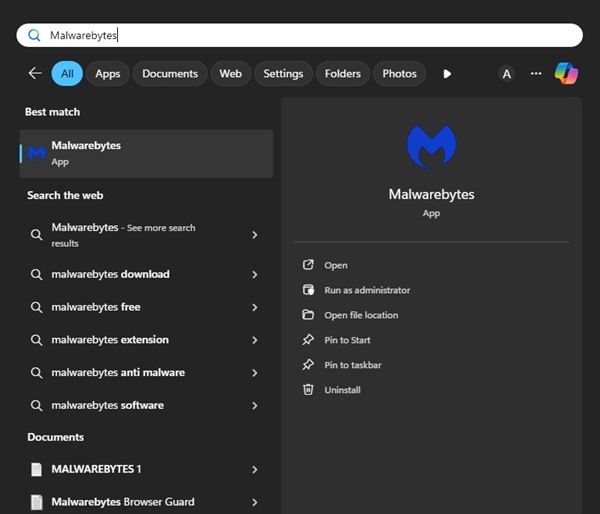
1. Open Malwarebytes from the Windows Search.
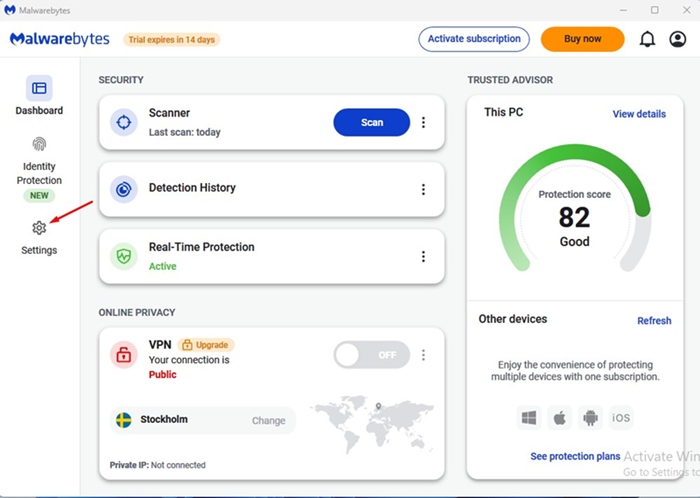
2. Switch to Settings.
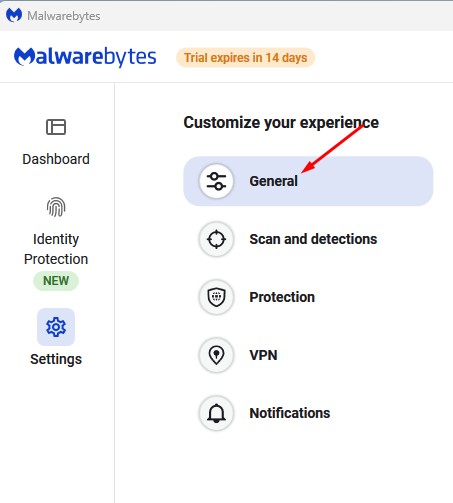
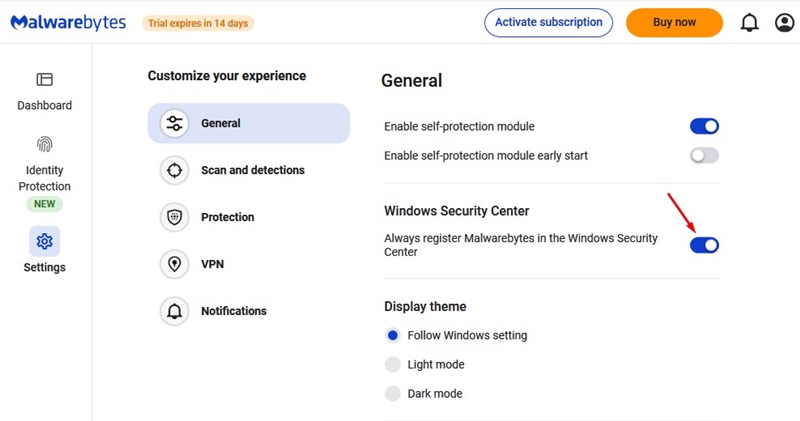
3. Switch to General.
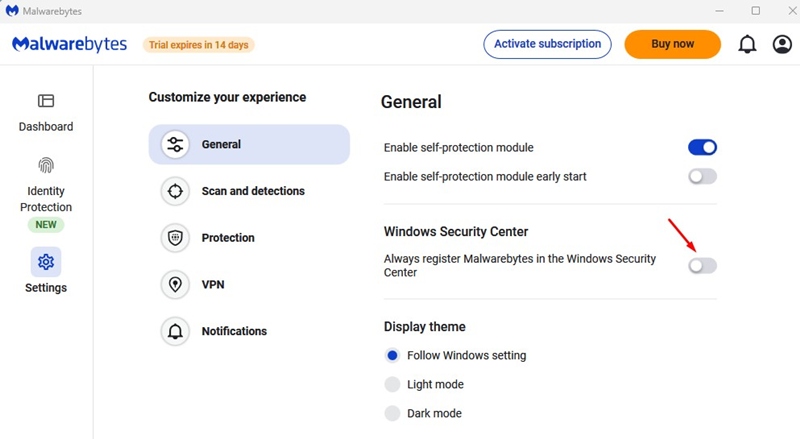
4. Scroll down to the Windows Security Center. Turn off the toggle for ‘Always register Malwarebytes in the Windows Security Center’.
5. Open the Windows Security app on your PC. You will notice that the Virus & Threat Protection is turned on.
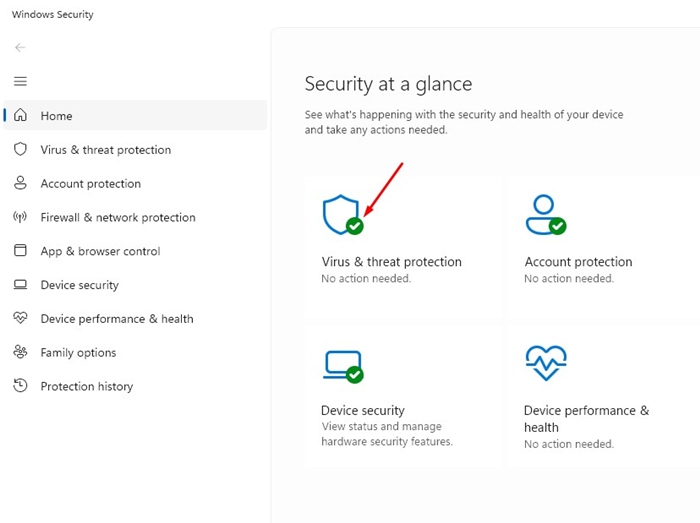
6. If you want Windows Security to depend on Malwarebytes for virus & threat protection, enable the toggle for Always Register Malwarebytes in the Windows Security Center in Step 4.
Do I need Malwarebytes if I use Windows Security?
Malwarebytes is better than Windows Security in many ways, but Windows Security is also good enough for regular security protection needs and real-time protection.
You may like to use Malwarebytes as an on-demand scanner to remove the latest threats from your system. Or use both on the same device to enjoy all the benefits that the two security products offer.
However, Malwarebytes is a premium product, and Windows Security is free. So, if you want a free option, Windows Security is still the best pick.
This article explains how to run Malwarebytes and Windows Defender at the same time. If you need more help on this topic, let us know in the comments.