Eye Tracking on iPhone is an accessibility feature that allows users to select content on the screen without using their fingers. The feature is supposed to help users with physical disabilities control their iPhones with their eyes.
How to Turn On iPhone Eye Tracking on iPhone?
1. Launch the Settings app.
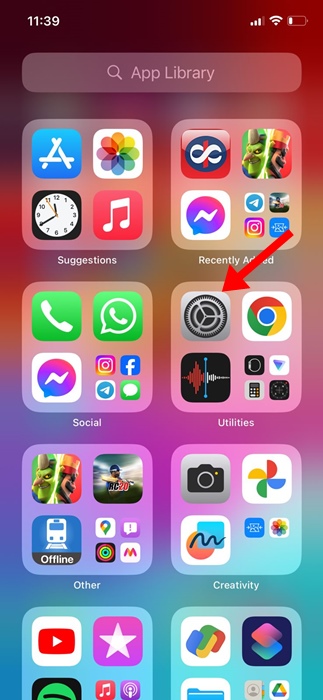
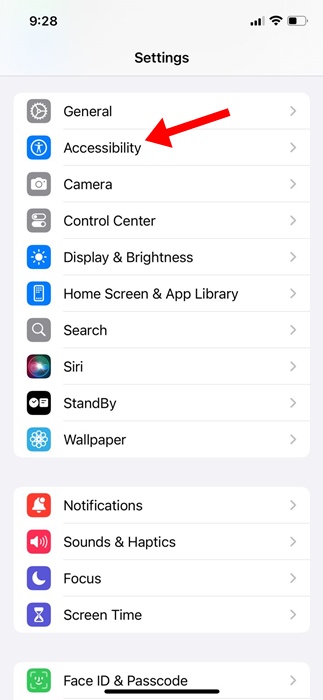
2. Tap on Accessibility.
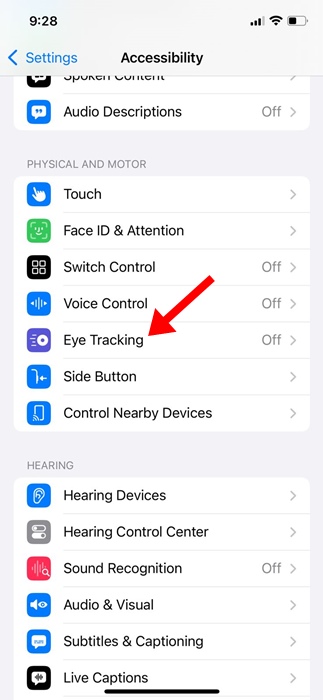
3. Find the Eye Tracking option.
4. Turn on the toggle next to the Eye Tracking.
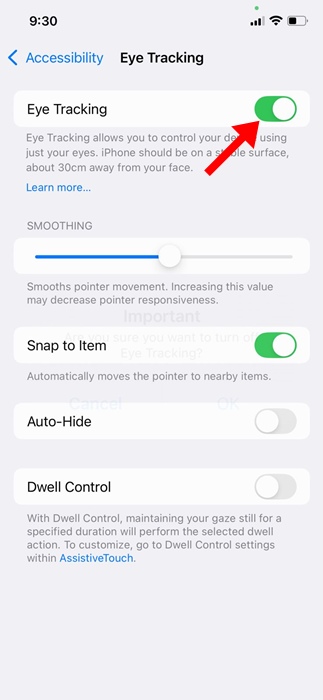
5. You will reach the calibration screen. Follow the dot with your eye as it moves around the screen.

6. On the AssistiveTouch Menu Customization prompt, tap Yes.
This should enable the Eye Tracking feature on your iPhone. A white outline around a button or app icon indicates that the feature is enabled and ready to track your eye movement. This is how to turn on eye tracking on an iPhone. Eye tracking is a great accessibility feature, but sometimes, it just doesn’t work.
If your Eye Tracking is not responsive, try setting the feature again and holding your phone 1.5 feet away while using it.