
TechViral Staff

Bringing the latest in technology news, how to guides, and best apps is our team of staff writers. They have a keen eye for latest stories and tutorials for tech enthusiasts.
5 Best Ways to Run File Explorer as Administrator in Windows 11
If you are tired of pressing 'Yes' every time in the UAC prompt while accessing system files and want to eliminate those prompts, you...
How to Manually Update Windows Security on Windows 11
If you are using Windows 11, you should never skip the Windows security updates. Generally, the Windows Security app receives updates during Windows Updates....
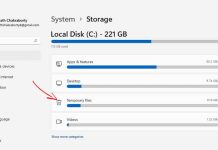
7 Best Ways to Clear Cache in Windows 11
Clearing the cache files will free up storage and fix many apps, network, or compatibility-related issues. There are various ways to clear the cache...

How to Disable Internet Connection Sharing in Windows 11
When the Internet Connection Sharing is enabled, any other local Area Network (LAN) computer can access your PC's internet without permission or any dedicated...
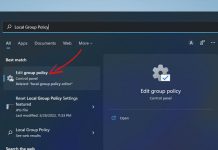
How to Reset Local Group Policy Settings to Default on Windows 11
Over time, you may have made numerous changes to the Local Group Policy Editor. If your PC suddenly starts behaving abnormally, it can be...
4 Ways to Disable a User Account on Windows 11
If you want, you can quickly disable a user account on Windows 11 via Settings or by editing the Registry File. The disabled user...
How to Open Folders at Startup in Windows 11
You can configure Windows 11 to open folders when your PC starts automatically. Here are the two different ways to open folders at startup...

4 Best Ways to Find all Signed In Users in Windows 11
When it comes to knowing how many users are logged in to your PC or who is signed in, things become a bit tricky....

6 Ways to Check RAM Information on Windows 11
Knowing your current PC's RAM specifications might help you plan your next PC build. There are various ways to check RAM information on Windows...

How to Wipe a Drive on Windows
External storage devices, such as USB flash drives, don't support TRIM, which means deleted files can be recovered. If you want your deleted files...