
How to Mark All Messages as Read on iPhone?
On iPhone, there is a handy option to mark all SMS messages and delete them in one go. So, if you want to get rid...

How to Check if your Device is Running On 32-Bit or 64-Bit Android
A 64-bit processor is more capable than a 32-bit processor. This is because a 64-bit processor can fetch and handle more data at once....

How to Turn Windows Efficiency Mode Off
Efficiency mode is an exclusive feature that allows you to optimize the programs running in the background. It works by reducing energy consumption. It...
How to Set WiFi as Metered Connection on Android
When you set a WiFi network as a metered connection, your Android device will treat the WiFi internet as mobile data and block actions...

How to Stop Apps from Using Your Webcam on Windows
There are various ways to protect yourself from webcam spying. You can either cover the webcam with tape or disable the Webcam completely. However, what...
How To Find Devices Connected To Your Wifi Using Smartphone
Most modern routers allow users to check for connected devices. However, if you don't know how to use the router admin panel, you need...
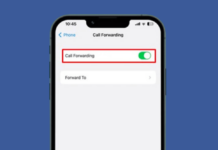
How to Turn On Call Forwarding on iPhone
Call forwarding on iPhone is a very important feature that ensures you don't miss any important calls on vacation or plan to leave your...

How to Fake a GPS Location On Android
There are multiple reasons to fake your GPS location. For example, you might want to check in from a different location or access location-specific...

How to Cut Videos Using VLC Media Player in Windows
You don't really need a third-party video editing app to cut videos. If you have VLC Media Player, you can use it to cut...

How to Enable the Energy Saver Mode on Windows 11
Energy Saver mode is a battery saver feature designed to extend your laptop's battery life and reduce energy use. It extends the battery life...