

How to Fix Laptop Lag When Plugged in Windows 11
Laptop lag or slowdown when charging is pretty normal, mostly due to the Power Plan Settings. Windows provide you with multiple power plans; each...

5 Ways to Install Audio/Sound Driver in Windows 11
Windows 11 automatically installs the latest version of device drivers during Windows updates, but sometimes it can fail. If the audio drivers are not...
How to Fix Black Screen at Boot on Windows 11
The black screen may appear at boot for several reasons, such as faulty Windows updates, outdated device drivers, system file corruptions, third-party app interface...

How to Create Multiple Folders at Once in Windows
Creating multiple folders and subfolders manually can be time-consuming. To ease the folder creation process, you can use the Command Prompt or PowerShell. Here's...

7 Best Methods to Fix Undoing Changes Made to Your PC
The 'Undoing Changes Made to your computer' screen is not an error. Still, it can put your computer into a boot loop, preventing you...

How to run Malwarebytes and Windows Defender at the same time
Windows Defender or Windows Security is configured to turn itself off whenever it detects a third-party security program. When you install Malwarebytes, Windows Defender...

4 Ways to Mount ISO Images in Windows 11
On Windows 11, you have multiple ways to access the built-in ISO mounter. You can easily mount or unmount ISO files on a virtual...
How to Block Users From Installing Programs in Windows 11
Yes! You can prevent users from installing programs on Windows 11 without installing any third-party apps. You can set Windows 11 to install apps...
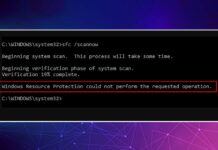
How to Fix ‘Windows Resource Protection Could Not Perform the Requested Operation’ Error
Windows Resource Protection, also known as WRP, is a vital process that protects your important system files, folders, and registry keys from being replaced.
This...
How to Enable or Disable Microphone Access in Windows 11
Many users on the Microsoft Forum reported that their voice does not reach the recipient during audio/video calls. If you are facing the same...