

How To Block Websites In Google Chrome Browser
By default, Chrome doesn't allow you to block any website, but some workarounds still let you do it. Here's how you can block websites...

4 Best Ways to Disable Startup Sound in Windows 11
Although the Startup sound of Windows 11 doesn't irritate users, many want to disable it. You will never want Windows 11's startup sound to...

How to Change Display Language in Google Chrome
Google Chrome has an option that translates the text of the web pages you visit. Your change in this method will not apply to...

How to Remove Avast SafePrice from PC
Avast is a leading name in the security world and offers various products for security and productivity. It had an extension called Avast SafePrice,...
How to Clear & Disable Activity History on Windows 11
With Activity History, you get to see the things you did in the past, like which apps, documents, and websites you opened and at...
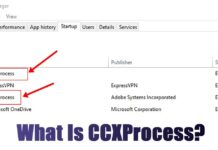
What is CCXProcess.exe? How to Disable it
Many Windows users have been facing problems understanding CCXProcess.exe. According to the user, the CCXProcess.exe process appears in the Task Manager, consuming RAM. Since...

Location of Chrome Bookmarks Windows 11 – How to Find it?
Did you know that Chrome stores your bookmarks in several different places? The saved bookmarks are stored in a folder on your Windows or...

How to Change Microsoft Store Country & Region in Windows 11
To download apps and games unavailable in your region, you need to change the Microsoft Store region on Windows. This can be done in just a...

How to Launch Multiple Apps At Once on Windows
To launch multiple apps at once, we first need to create a batch file. The batch file will contain the path of the apps...
How to Normalize Volume on Windows 11
Windows 11 has a Loudness Equalization feature, which normalizes the volume output. The feature uses an understanding of human hearing to reduce perceived volume...