
Amarnath Chakraborty

Amarnath Chakraborty is the content writer at Tech Viral. He writes/edits about how-to tips, tutorials especially on Social Networks, Android, iPhone, Computer, Internet etc.
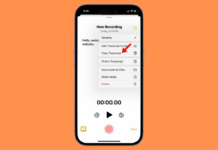
How to Use Live Audio Transcription on iPhone
Currently, the Audio Transcription in the Notes is available in English (Australia), English (Canada), English (Ireland), English (New Zealand), English (South Africa), English (UK),...

How to Access Clipboard on iPhone
Even though there's no native way to find a clipboard, that doesn't mean you can't bring the clipboard history feature to your iPhone. There...

How to Add ‘Select All’ Option to Windows 11 Context Menu
While it's pretty easy to press the CTRL+A key to select all items, if your keyboard is not working or you don't like using...

How to Disable Automatic Driver Installation on Windows 11 (3 Methods)
If you use Windows, you may know that the operating system automatically installs drivers for your hardware during system updates. The entire process is...

How to Format a Hard Drive or SSD in Windows 11 (Best Methods)
Even though Windows 11 provides various ways to resolve hard disk drive errors, sometimes nothing seems to work. In such a situation, we only...

How to Run Steam Game As Admin on Windows?
Although the games installed from Steam are locally stored, the Run as administrator option doesn't appear in the right-click or context menu. The Steam...

How to Set Up Recurring Reminders on iPhone?
If you often repeat tasks daily and are looking for an option to create recurring reminders on your iPhone, continue reading the article. Below,...

How to Use the Distraction Control Feature on iPhone
The 'Distraction Control' feature is part of the Safari web browser on iOS. The feature lets you hide banners, cookie preference pop-ups, ads, and...

5 Best Ways to Crop a Picture into a Circle on PC
You may want to crop a picture into a circle for various reasons. First, a circled image usually looks appealing and can draw the...

How To Fix Error Code 16: This Request Was Blocked By The Security Rules
Even with high-speed internet and several security tools installed, you may still see errors like "Access denied error code 16" in your browser. The...