

How to Change the Display Orientation on Windows 11
The default display orientation is set to the Landscape mode (Horizontal) on every Windows device. The reason behind it is that users were used...

How To Change WiFi Channel To Improve The Signal
We all know very well that WiFi is not a complete network, as it has bugs, goes down, and sometimes works slowly may be...

How To Find Devices Connected To Your Wifi Network
As we all know, wifi is now used by many people, and almost everyone has a personal wifi connection. However, you don't have much...

How to Fix ‘Unidentified Network’ Error on Windows 10
Microsoft's Windows 10 offers you different options to connect to the internet. Depending on your hardware, you can connect to the internet via WiFi,...

How to Use the Cleanup Recommendations on Windows 11
If you are using Windows 11, you might know that the operating system is highly customizable. Microsoft has not only changed the design of...
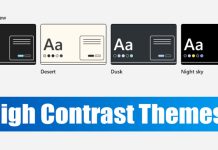
How to Enable High-Contrast Themes on Windows 11 (2 Methods)
Both Windows 10 and Windows 11 operating system from Microsoft offers you different high-contrast color themes. On Windows 11, you get four high-contrast color...
How to Re-Register the Start Menu in Windows 11 (2 Methods)
If you are using Windows 11, you might know that Microsoft has changed how Start Menu works. Not only does the Start Menu of...
How to Enable or Disable Text Suggestions on Windows 11
If you have a touchscreen PC/laptop and use Windows 11, you probably know about the touch keyboard feature. The touch keyboard of Windows 11...

How to View Threat Protection History on Windows 11
If you've been using Windows 11 for some time, you are likely to be familiar with the Windows security application. It's a free antivirus...
How to Enable Automatic Battery Saver in Windows 11
Windows 11 is the new desktop operating system from Microsoft that brings a wide range of new features, changes, and additions. After switching to...